Extract text content from uploaded documents for AI processing
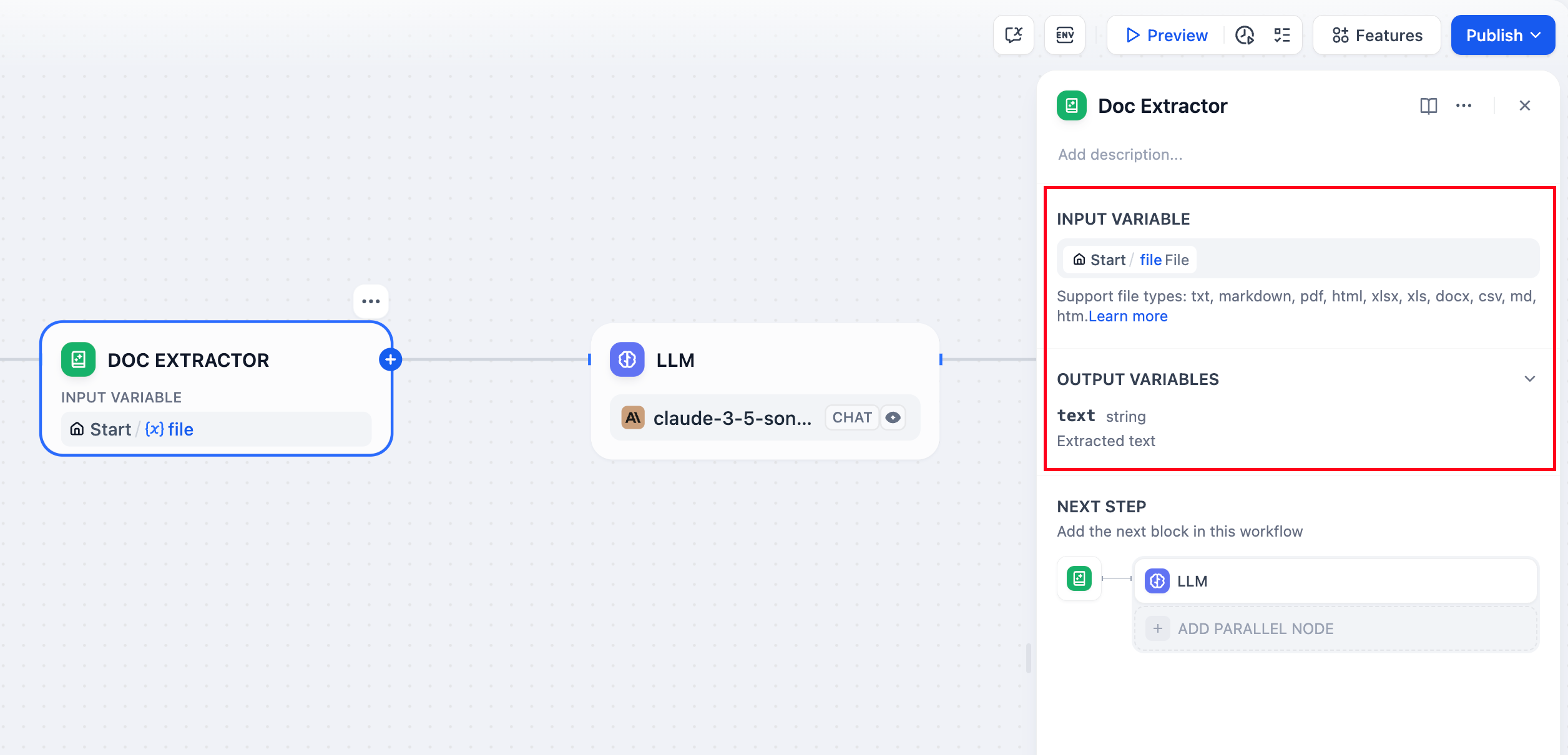
The Document Extractor node converts uploaded files into text that LLMs can process. Since language models can’t directly read document formats like PDF or DOCX, this node serves as the essential bridge between file uploads and AI analysis.
The node handles most text-based document formats:Text Documents - TXT, Markdown, HTML files with direct text contentOffice Documents - DOCX files from Microsoft Word and compatible applicationsPDF Documents - Text-based PDFs using pypdfium2 for accurate text extractionOffice Files - DOC files require Unstructured API, DOCX files support direct parsing with table extraction converted to Markdown formatSpreadsheets - Excel (.xls/.xlsx) and CSV files converted to Markdown tablesPresentations - PowerPoint (.ppt/.pptx) files processed via Unstructured APIEmail Formats - EML and MSG files for email content extractionSpecialized Formats - EPUB books, VTT subtitles, JSON/YAML data, and Properties filesFiles containing primarily binary content like images, audio, or video require specialized processing tools or external services.
Configure the node to accept either:Single File input from a file variable (typically from the Start node)Multiple Files as an array for batch document processing
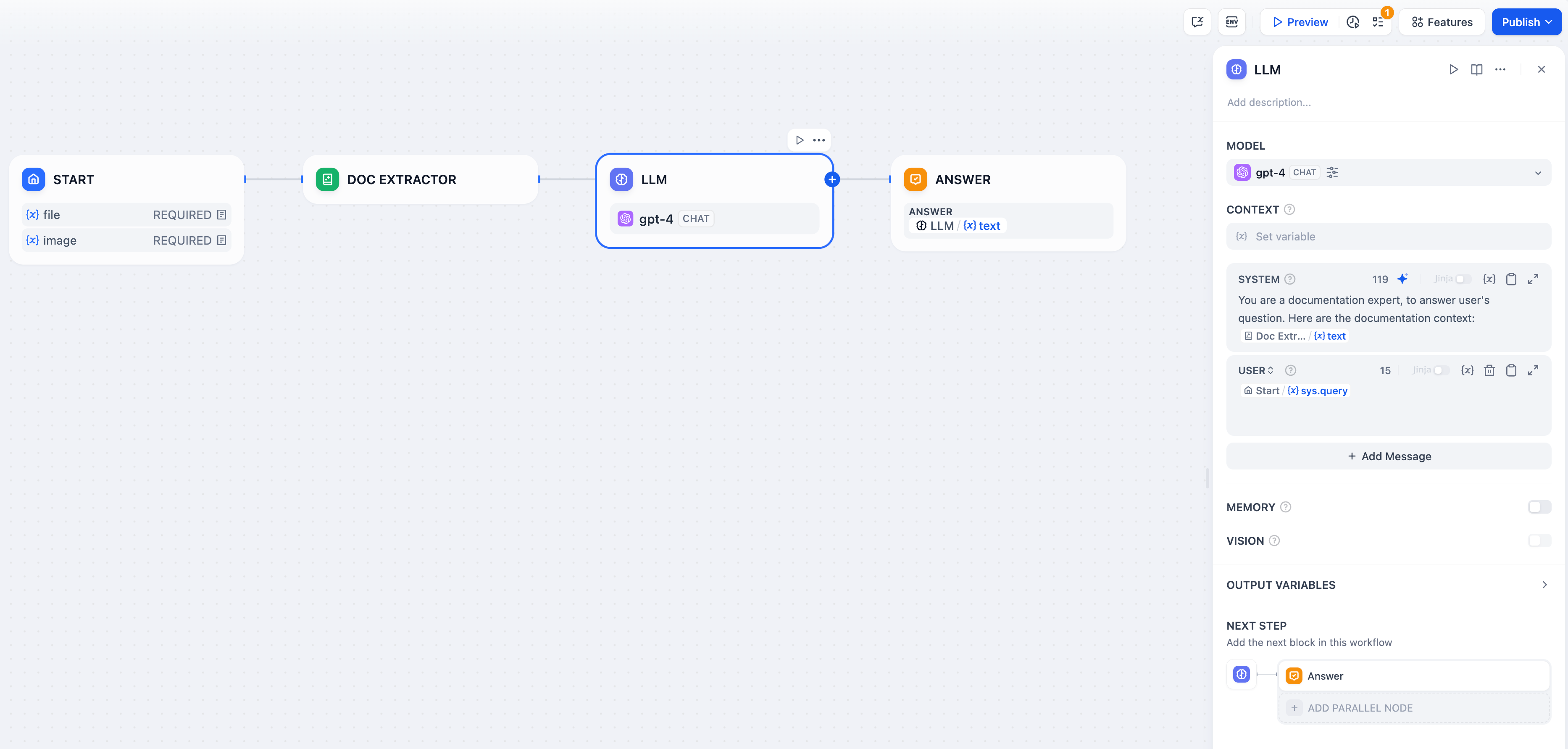
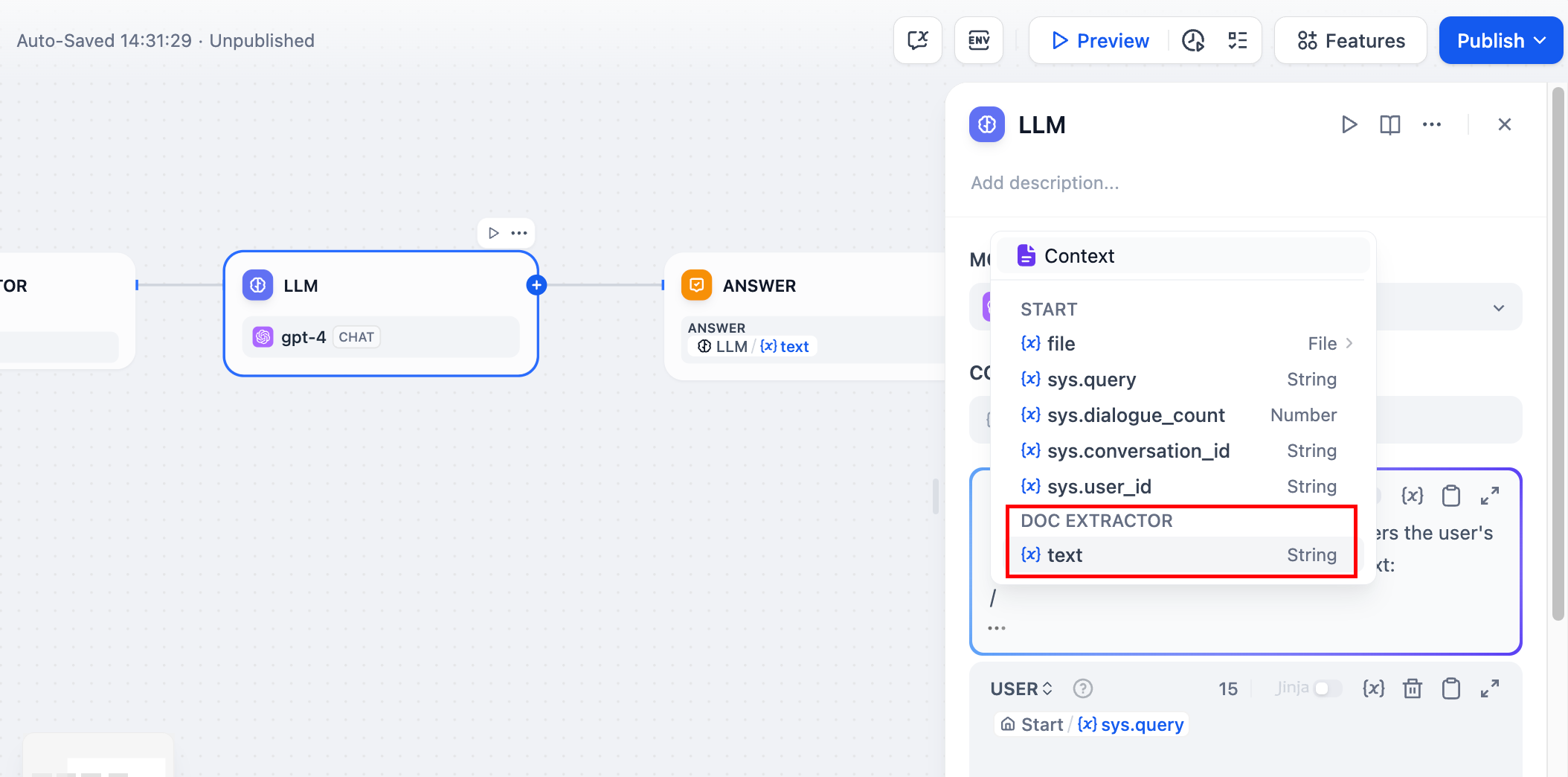
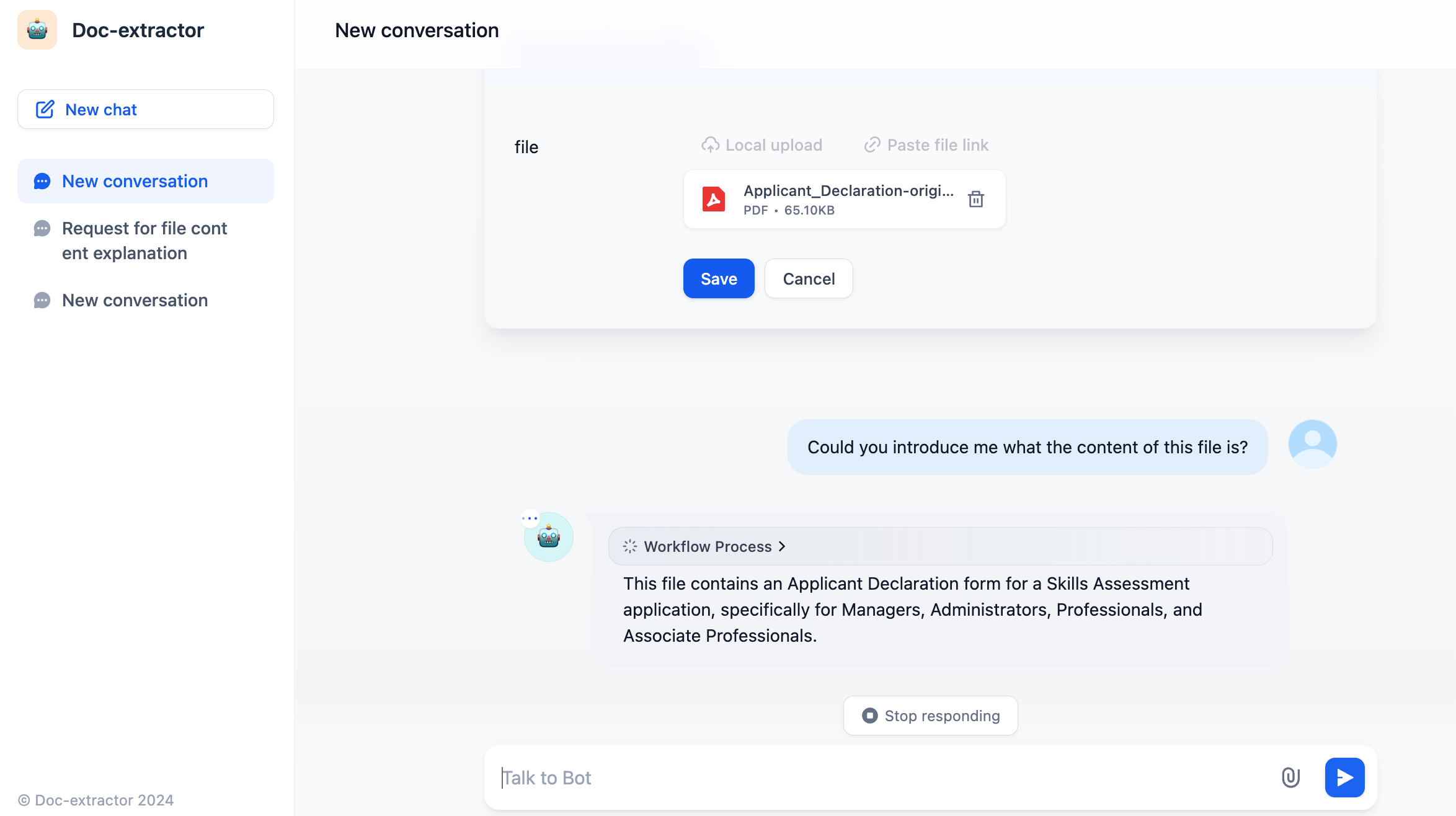
File Upload Configuration - Enable file input in your Start node to accept document uploads from users.Text Extraction - Connect the Document Extractor to process uploaded files and extract their text content.AI Processing - Use the extracted text in LLM prompts for analysis, summarization, or question answering.
The Document Extractor uses specialized parsing libraries optimized for different file formats. It preserves text structure and formatting where possible, making extracted content more useful for LLM processing.
Encoding Detection - Uses chardet library to automatically detect file encoding with UTF-8 fallback for text-based filesTable Conversion - Excel and CSV data becomes Markdown tables for better LLM comprehensionDocument Structure - DOCX files maintain paragraph and table ordering with proper table-to-Markdown conversionMulti-line Content - VTT subtitle files merge consecutive utterances by the same speaker
Some file formats require the Unstructured API service configured via UNSTRUCTURED_API_URL and UNSTRUCTURED_API_KEY:
DOC files (legacy Word documents)
PowerPoint presentations (if using API processing)
EPUB books (if using API processing)
For very large documents, consider the LLM’s context limits and implement chunking strategies if needed. The extracted text maintains the original document’s logical structure to preserve meaning and context.